 Save image as Type
Save any image in the format you need
Right-click a picture and save it as JPG, PNG, WebP, GIF or PDF. No uploads: the image is converted inside your browser.
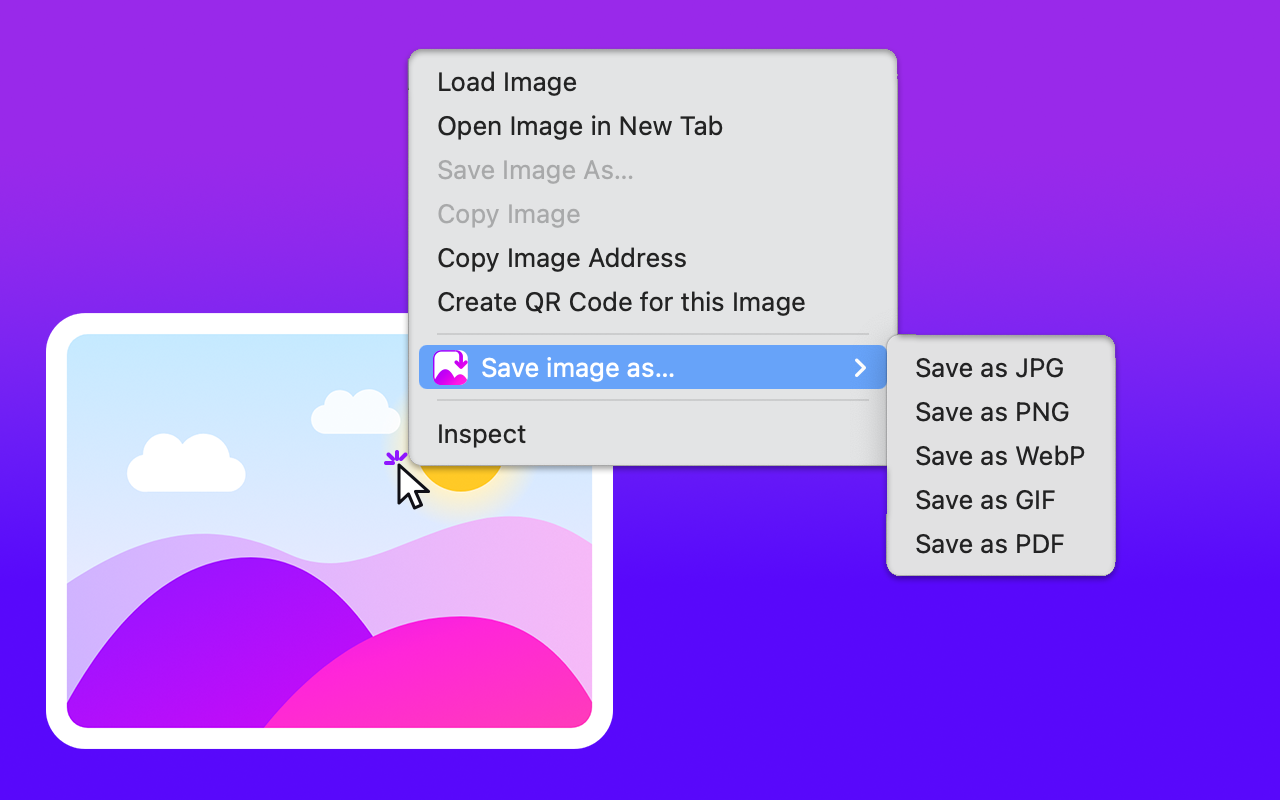
Five formats in the right-click menu
Pick the format, the file is saved instantly.
JPG
Save as JPG
Compact photos for sharing and email.
PNG
Save as PNG
Lossless quality, keeps transparency.
PDF
Save as PDF
Turn a picture into a PDF ready to print or attach.
WebP
Save as WebP
Smaller files with excellent quality.
GIF
Save as GIF
Animated GIFs are saved as is, animation intact.
How to use
- Install the extension from the Chrome Web Store.
- Right-click any image on a web page.
- Choose Save image as and the format. Optionally rename the file before it's saved.
FAQ
Are my images uploaded anywhere?
No. Conversion happens entirely in your browser. Images never leave your device.
Does it work with background images?
Yes, it works with any image visible on the page, including background images.
Do I need an account?
No account is needed to save images.
Questions?
Write to support@microext.com. We usually reply within 24 hours.